
Update Your Preferred Name in Paycom
HR would like to remind all employees that you have the ability to update your preferred name directly in Paycom through the Employee Self-Service (ESS) portal.
Once updated in Paycom through Employee Self-Service (ESS), your preferred name will display in your employee profile and will be visible to supervisors and HR in most day-to-day system views.
Your legal name will still be used for official purposes such as payroll, tax documents and other compliance-related records. If there is a change to your legal name, please provide HR with your updated social security card so that we can update our systems accordingly.
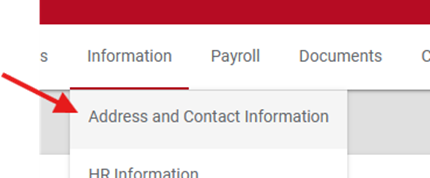
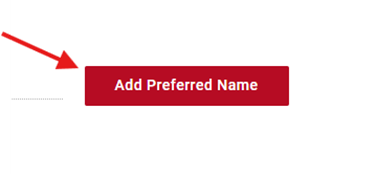
To add your preferred name, simply log in to Paycom, navigate to your profile in ESS, click on Address and Contact Information, and then click on the “add preferred name” box.
If you have any questions or need assistance, please reach out to HR.